
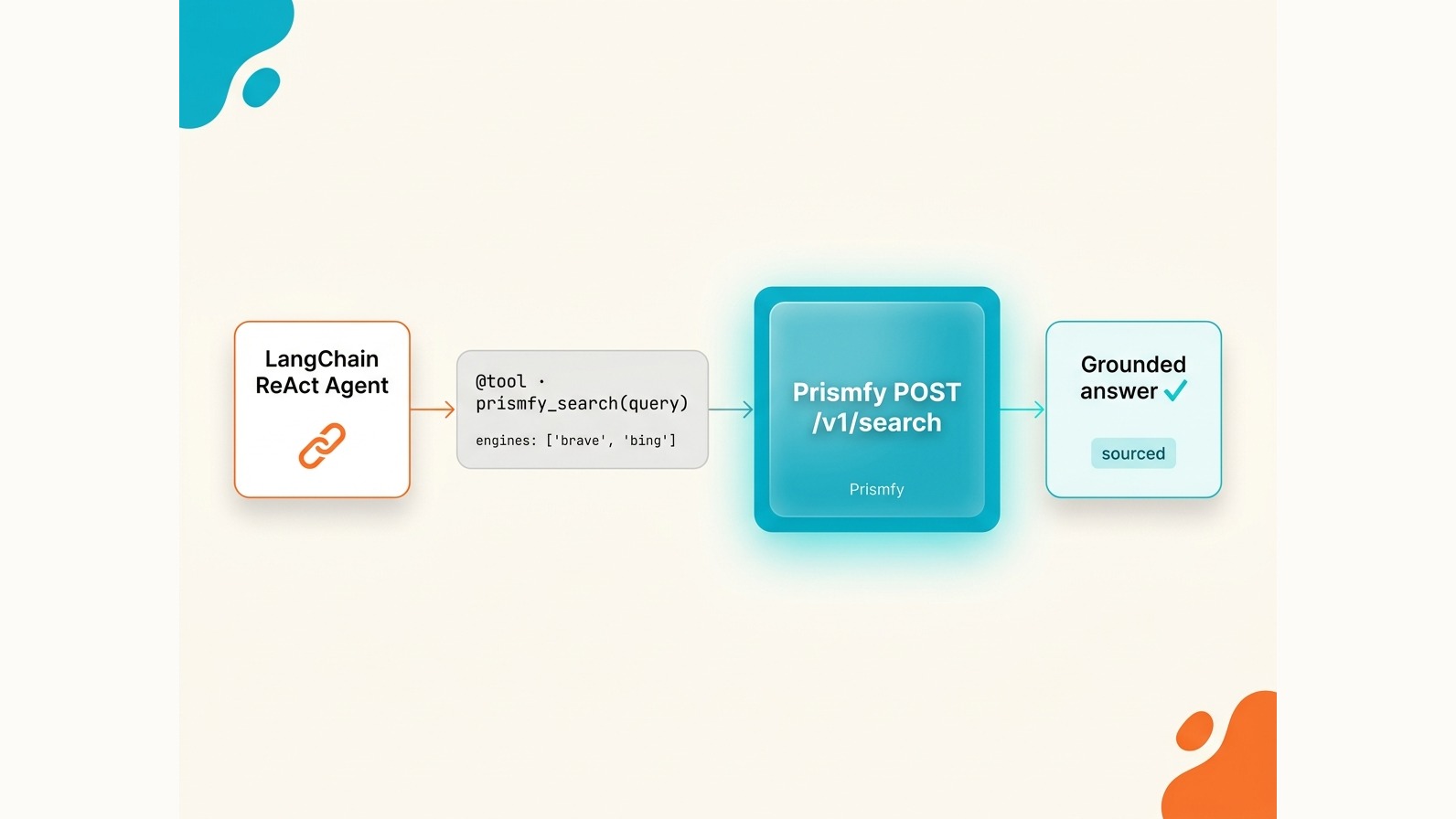
How to Add Prismfy to LangChain as a Web Search Tool
Add live web search to any LangChain agent with Prismfy — one API key, multi-engine results, and a custom @tool decorator in under 20 lines of Python.
Prismfy Team
April 17, 2026
How to Add Prismfy to LangChain as a Web Search Tool
LangChain agents are powerful, but they have a hard cutoff: the knowledge baked into the model. If your agent needs to answer questions about last week's earnings call, a GitHub issue opened this morning, or a Reddit thread from yesterday, it will either hallucinate or refuse. The fix is a live web search tool wired directly into the agent's tool loop.
This tutorial shows you how to do that with Prismfy — a single API endpoint that fans out to Brave, Bing, Reddit, GitHub, and more — in under 20 lines of Python.
Why not use LangChain's built-in search tools?
LangChain ships integrations for SerpAPI, Tavily, and Google Custom Search Engine (CSE). Each has friction:
- SerpAPI charges per request with no free tier worth mentioning, and you're billed even on cache hits.
- Tavily adds its own AI summarisation layer, which is great for some use cases but opaque when you want raw results.
- Google CSE requires a Google Cloud project, a Programmable Search Engine config, and API key setup that takes 20 minutes before you write a single line of code.
Prismfy trades all of that for one API key and one endpoint. You choose which engines to query per request, results come back in a consistent schema, and the free tier gives you 3,000 searches a month.
Install dependencies
pip install langchain langchain-anthropic requests
That's it. Prismfy is a plain HTTPS API, so there is no SDK to install.
Create a custom Prismfy search tool
LangChain's @tool decorator turns any Python function into a tool the agent can invoke. Here's the complete implementation:
import os
import requests
from langchain_core.tools import tool

@tool
def prismfy_search(query: str) -> str:
    """Search the live web using Prismfy. Use this for current events,
    recent news, documentation, or any information that may have changed
    after the model's training cutoff."""
    api_key = os.environ["PRISMFY_API_KEY"]
    response = requests.post(
        "https://api.prismfy.io/v1/search",
        headers={"Authorization": f"Bearer {api_key}"},
        json={
            "query": query,
            "engines": ["brave", "bing"],
        },
        timeout=30,
    )
    response.raise_for_status()
    results = response.json().get("results", [])[:5]
    if not results:
        return "No results found."
    return "\n---\n".join(
        f"{r['title']}\n{r['url']}\n{r['content']}"
        for r in results
    )
A few things to note:
- The docstring matters. LangChain passes it to the model as the tool description. Write it so the model knows exactly when to call this function.
response.raise_for_status()turns 4xx/5xx responses into exceptions, which LangChain will surface cleanly rather than silently returning garbage.- Slicing to
[:5]keeps the context window manageable. A typical Prismfy response returns 10–20 results; five is usually enough for the agent to reason from.
Wire it into a LangChain agent
import os
from langchain_anthropic import ChatAnthropic
from langgraph.prebuilt import create_react_agent

llm = ChatAnthropic(model="claude-3-5-sonnet-latest")
agent = create_react_agent(llm, tools=[prismfy_search])

result = agent.invoke({
    "messages": [
        {"role": "user", "content": "What are the top Python web frameworks trending on GitHub right now?"}
    ]
})

print(result["messages"][-1].content)
When you run this, the agent will recognise it needs live data, call prismfy_search with a relevant query, parse the results, and synthesise an answer grounded in current web content — not its training data.
Set your keys before running:
export PRISMFY_API_KEY="ss_live_your_key_here"
export ANTHROPIC_API_KEY="sk-ant-your_key_here"
Choose your engines
Prismfy supports multiple engines in a single request. Pass an array and results from all engines are merged and deduplicated.
| Engine | Best for |
|---|---|
brave |
General web search, privacy-respecting results |
bing |
News, recent events, broad coverage |
reddit |
Community opinions, real user experiences |
github |
Code, repositories, open-source projects |
hackernews |
Tech industry discussion, developer perspectives |
google |
Enterprise tier — highest quality, broadest index |
For most agents, ["brave", "bing"] is the right default. Add "reddit" when you care about user sentiment, "github" when the query is code-related, and "hackernews" for tech ecosystem questions.
Common mistakes
Returning raw JSON to the agent. The full Prismfy response object is large. Always extract and format the fields you need (
title,url,content) before returning from the tool function. Dumping raw JSON bloats the context and degrades reasoning quality.Ignoring
timeRange. Prismfy accepts an optionaltimeRangeparameter ("day","week","month","year"). If your agent handles time-sensitive queries — breaking news, recent releases — pass this based on the user's intent rather than always defaulting to all-time results.Not handling API errors gracefully. Wrap your
requests.postcall in a try/except and return a descriptive string on failure. If the tool raises an unhandled exception mid-agent-loop, LangChain will retry or surface an unhelpful traceback.Querying broken engines. DuckDuckGo and Startpage fail on datacenter IPs due to CAPTCHA. Stick to
brave,bing,reddit,github, andhackernewsfor reliable results in server environments.
Get your free key at prismfy.io — 3,000 searches per month, no credit card required.
Try it free
Add real-time web search to your AI
Free tier includes 1,000 one-time requests. No credit card required.