
How to Build an MCP Search Tool with TypeScript and Prismfy
Build a working MCP web search server in TypeScript — register a Prismfy-backed web_search tool that Claude Desktop and any MCP client can call.
Prismfy Team
April 17, 2026
How to Build an MCP Search Tool with TypeScript and Prismfy
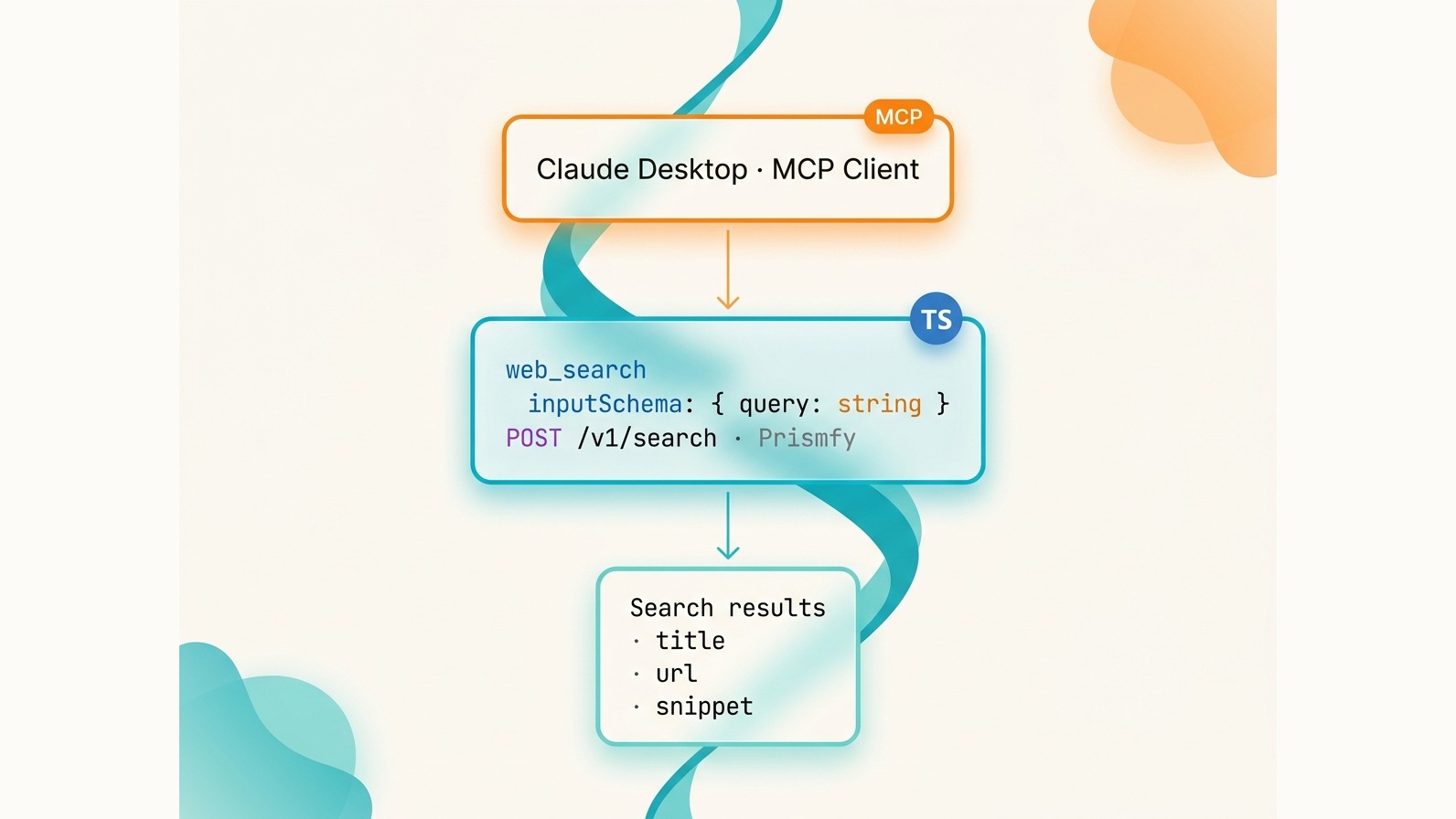
MCP (Model Context Protocol) lets you give Claude access to external tools. Adding live web search is one of the most useful tools you can register — it turns Claude from a static knowledge base into an agent that can retrieve up-to-date information on demand. This tutorial builds a working MCP server with a web_search tool backed by Prismfy, deployable in under 15 minutes.
Prerequisites
- Node.js 18 or later
- npm
- A Prismfy API key — free at prismfy.io, no credit card required
- Basic TypeScript knowledge
Set Up the Project
mkdir prismfy-mcp && cd prismfy-mcp
npm init -y
npm install @modelcontextprotocol/sdk axios
npm install -D typescript @types/node ts-node
npx tsc --init
Create the source directory:
mkdir src
In your tsconfig.json, ensure "module": "commonjs" and "target": "es2020" are set. ts-node needs CommonJS output.
The Complete MCP Server
Create src/index.ts:
import { Server } from "@modelcontextprotocol/sdk/server/index.js";
import { StdioServerTransport } from "@modelcontextprotocol/sdk/server/stdio.js";
import {
  CallToolRequestSchema,
  ListToolsRequestSchema,
} from "@modelcontextprotocol/sdk/types.js";
import axios from "axios";

const PRISMFY_API_KEY = process.env.PRISMFY_API_KEY;
if (!PRISMFY_API_KEY) {
  console.error("PRISMFY_API_KEY environment variable is required");
  process.exit(1);
}

const server = new Server(
  { name: "prismfy-search", version: "1.0.0" },
  { capabilities: { tools: {} } }
);

server.setRequestHandler(ListToolsRequestSchema, async () => ({
  tools: [
    {
      name: "web_search",
      description:
        "Search the web for current information. Returns titles, URLs, and content snippets.",
      inputSchema: {
        type: "object",
        properties: {
          query: {
            type: "string",
            description: "The search query",
          },
          engines: {
            type: "array",
            items: { type: "string" },
            description:
              "Search engines to use. Options: brave, bing, reddit, hackernews, github. Defaults to brave + bing.",
          },
          timeRange: {
            type: "string",
            description:
              "Filter results by time. Options: day, week, month, year.",
          },
        },
        required: ["query"],
      },
    },
  ],
}));

server.setRequestHandler(CallToolRequestSchema, async (request) => {
  if (request.params.name !== "web_search") {
    throw new Error(`Unknown tool: ${request.params.name}`);
  }

  const { query, engines, timeRange } = request.params.arguments as {
    query: string;
    engines?: string[];
    timeRange?: string;
  };

  const body: Record<string, unknown> = { query };
  if (engines && engines.length > 0) body.engines = engines;
  if (timeRange) body.timeRange = timeRange;

  const response = await axios.post(
    "https://api.prismfy.io/v1/search",
    body,
    {
      headers: {
        Authorization: `Bearer ${PRISMFY_API_KEY}`,
        "Content-Type": "application/json",
      },
      timeout: 30000,
    }
  );

  const { results, cached } = response.data as {
    results: { title: string; url: string; content: string; engine: string }[];
    cached: boolean;
  };

  const formatted = results
    .slice(0, 8)
    .map(
      (r, i) =>
        `${i + 1}. **${r.title}**\n   ${r.url}\n   ${r.content.slice(0, 200)}...`
    )
    .join("\n\n");

  const header = `Search results for "${query}"${cached ? " (cached)" : ""}:\n\n`;

  return {
    content: [
      {
        type: "text",
        text: header + formatted,
      },
    ],
  };
});

async function main() {
  const transport = new StdioServerTransport();
  await server.connect(transport);
  console.error("Prismfy MCP server running on stdio");
}

main().catch((err) => {
  console.error("Fatal:", err);
  process.exit(1);
});
A few things worth noting:
- The
ListToolsRequestSchemahandler advertises your tool to the MCP client — Claude reads this to knowweb_searchexists. CallToolRequestSchemais where the actual Prismfy API call happens.- Tool responses must return
{ content: [{ type: "text", text: "..." }] }. Any other shape is silently ignored or errors. - Logs go to
stderr, notstdout. MCP uses stdout for the protocol; writing anything to stdout will corrupt the transport.
Add to Claude Desktop
Open ~/Library/Application Support/Claude/claude_desktop_config.json (macOS) and add your server:
{
  "mcpServers": {
    "prismfy-search": {
      "command": "npx",
      "args": ["ts-node", "/absolute/path/to/prismfy-mcp/src/index.ts"],
      "env": {
        "PRISMFY_API_KEY": "ss_live_YOUR_KEY"
      }
    }
  }
}
Restart Claude Desktop after saving. You should see "prismfy-search" listed under connected tools.
For Cline (VS Code), add the same block to your Cline MCP settings JSON. The format is identical.
Test It
In Claude Desktop, type:
Search the web for the latest TypeScript 5.5 release notes.
Claude will invoke the web_search tool automatically. You will see the tool call in the UI — something like:
web_search({ "query": "TypeScript 5.5 release notes" })
The response comes back formatted as the numbered list from your handler, and Claude synthesizes an answer from it. To target specific engines, you can ask:
Search GitHub and Hacker News for MCP server examples.
Claude will pass engines: ["github", "hackernews"] to the tool.
Available Engines
| Engine | Best For |
|---|---|
brave |
General web search, privacy-respecting |
bing |
General web search, broad coverage |
reddit |
Community discussions, recommendations |
hackernews |
Tech news, developer topics |
github |
Code repositories, open-source projects |
google |
Maximum coverage (enterprise tier) |
Default behavior when no engines array is supplied: Prismfy uses brave and bing. If all requested engines fail, the API falls back to ["bing", "brave", "reddit", "hackernews"] automatically.
Common Mistakes
Wrong response shape. The MCP SDK requires
{ content: [{ type: "text", text: "..." }] }. Returning a plain string, an object withoutcontent, or an array directly will cause the client to report a tool error — even though your server did not throw.Missing API key guard. If
PRISMFY_API_KEYis undefined and you do not check at startup, the axios call will send"Bearer undefined", get a 401, and throw a generic network error that is hard to diagnose. Check and exit early.Writing to stdout. Any
console.login your server pollutes the stdio transport. Useconsole.errorfor all debug output — it goes to stderr, which MCP clients typically surface in logs but do not parse as protocol messages.Returning too many results. Dumping 20+ results into the tool response pushes Claude's context budget and adds noise. Eight results is a practical ceiling; the best signal is usually in the top five.
Get your free Prismfy key at prismfy.io — 3,000 searches per month with no credit card required.
Try it free
Add real-time web search to your AI
Free tier includes 1,000 one-time requests. No credit card required.