
How to Add Live Web Search to an AI Agent in 10 Minutes
Step-by-step guide to wiring real-time web search into any AI agent — with working Python code, engine selection tips, and a full agent loop example.
Prismfy Team
April 16, 2026
Most AI agents fail at the same point: they answer from stale model memory. If the task needs current product info, fresh pricing, a recent changelog, or a live website lookup — the agent needs a search step before it responds.
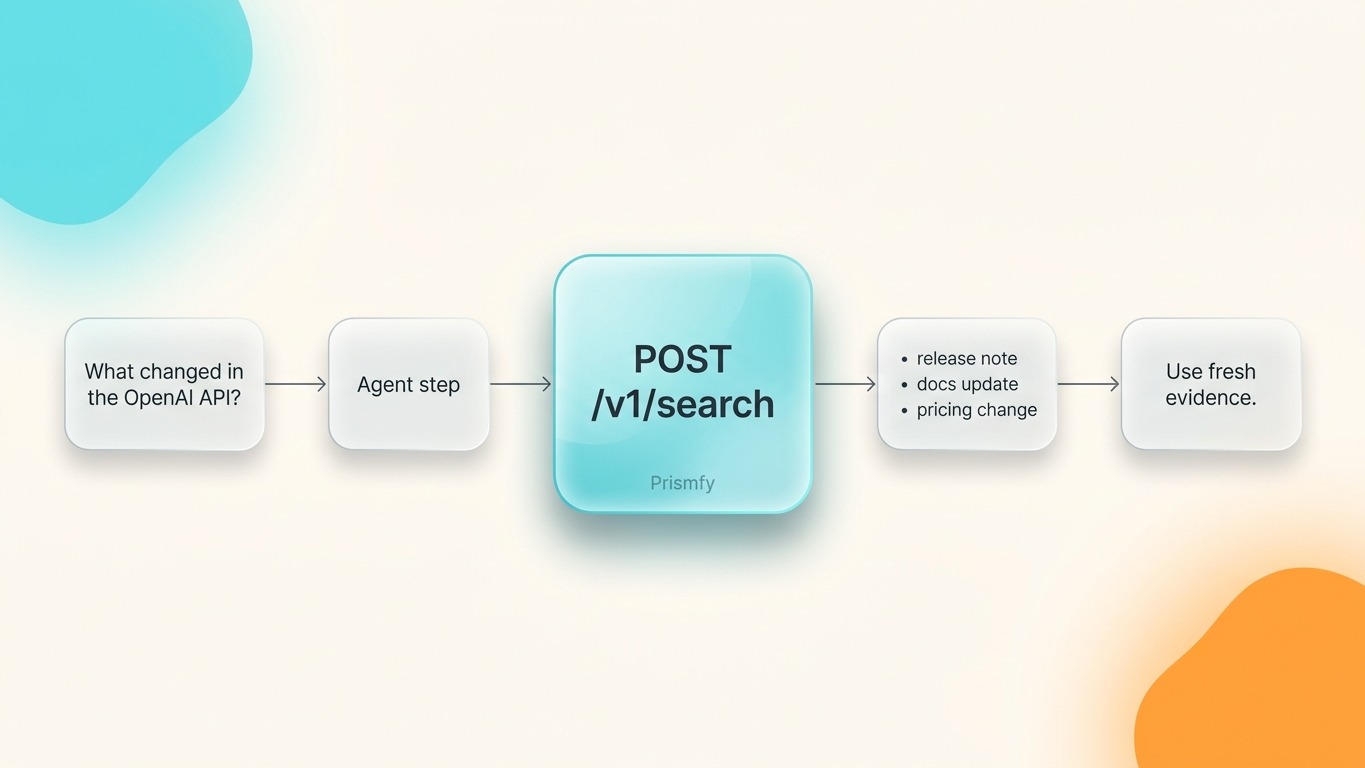
Prismfy is built for exactly that workflow. One synchronous POST /v1/search call returns structured web results you can inject directly into your next LLM step.
Why live search belongs in the agent loop
A model without web access is making educated guesses the moment the answer depends on something that happened after its training cutoff. That works fine for reasoning tasks. It breaks for:
| Use case | Without search | With Prismfy |
|---|---|---|
| Release notes lookup | Hallucinated version numbers | Real changelog, retrieved now |
| Company research | Outdated info | Current press releases + news |
| Competitor pricing | Stale or invented numbers | Live pricing page content |
| Docs lookup | Wrong API surface | Accurate, current reference |
The goal is not to make the model smarter. The goal is to give it current evidence before it responds.
How it works — the full loop
User prompt
    │
    ▼
┌─────────────────────────────┐
│   Prismfy  POST /v1/search  │  ← synchronous, ~1–3 s
│   brave + bing + reddit...  │
└─────────────────────────────┘
    │
    ▼
Structured results (title, url, snippet, engine)
    │
    ▼
Inject top 3–5 snippets into agent context
    │
    ▼
LLM generates grounded answer
No polling. No queue. One request, one response.
Step 1 — Get your API key
Sign up at prismfy.io. The free tier gives you 3,000 requests per month with no credit card required.
Step 2 — Your first search request
curl -X POST https://api.prismfy.io/v1/search \
  -H "Authorization: Bearer ss_live_YOUR_KEY" \
  -H "Content-Type: application/json" \
  -d '{
    "query": "latest OpenAI API changes",
    "engines": ["brave", "bing"],
    "timeRange": "week",
    "language": "en"
  }'
The response comes back synchronously with a results array — no polling needed:
{
  "query": "latest OpenAI API changes",
  "cached": false,
  "meta": {
    "durationMs": 1340,
    "engines": ["brave", "bing"],
    "page": 1
  },
  "results": [
    {
      "title": "OpenAI API — What's new",
      "url": "https://platform.openai.com/docs/changelog",
      "content": "GPT-4o mini now supports...",
      "engine": "brave"
    }
  ]
}
Step 3 — Wire it into a Python agent
Keep the search step isolated and reusable:
import requests

PRISMFY_KEY = "ss_live_YOUR_KEY"

def web_context(query: str, top_n: int = 5) -> str:
    """Fetch live web snippets and return them as a single context string."""
    resp = requests.post(
        "https://api.prismfy.io/v1/search",
        headers={
            "Authorization": f"Bearer {PRISMFY_KEY}",
            "Content-Type": "application/json",
        },
        json={
            "query": query,
            "engines": ["brave", "bing"],
            "timeRange": "week",
        },
        timeout=30,
    )
    resp.raise_for_status()
    results = resp.json().get("results", [])[:top_n]

    return "\n\n".join(
        f"[{r['engine'].upper()}] {r['title']}\n{r['url']}\n{r.get('content', '')}"
        for r in results
    )
Then wire it into your agent loop:
import anthropic

client = anthropic.Anthropic()

def answer_with_search(user_question: str) -> str:
    # 1. Retrieve live context
    context = web_context(user_question)

    # 2. Pass context + question to the model
    message = client.messages.create(
        model="claude-opus-4-5",
        max_tokens=1024,
        messages=[
            {
                "role": "user",
                "content": (
                    f"Use the search results below to answer the question accurately.\n\n"
                    f"<search_results>\n{context}\n</search_results>\n\n"
                    f"Question: {user_question}"
                ),
            }
        ],
    )
    return message.content[0].text

print(answer_with_search("What changed in the OpenAI API this week?"))
Step 4 — Choose your engines
Not every engine is equal for every task. Mix and match in the engines array:
| Engine | Best for |
|---|---|
brave |
General web, privacy-first index |
bing |
News, broad coverage |
reddit |
Community opinions and real-world experience |
hackernews |
Tech and developer topics |
github |
Code, libraries, open-source projects |
google |
Broadest index — enterprise tier |
Common mistakes to avoid
Sending the raw prompt directly to the model without a retrieval step. Fine for reasoning tasks, broken for anything time-sensitive.
Dumping all results into context. Use the top 3–5 snippets. More than that adds noise and burns tokens.
Not setting timeRange. For fast-moving topics, "week" or "month" filters out stale results automatically.
Skipping error handling. Treat search as a required step, not an optional one. If the call fails, surface that to the user rather than falling back to model memory silently.
For domain-specific use cases, see how to build a docs-only support assistant or how to add search to an MCP workflow.
When to use Prismfy vs. building your own scraper
| Prismfy | DIY scraper | |
|---|---|---|
| Setup time | 5 minutes | Days to weeks |
| CAPTCHA handling | Included | Your problem |
| Proxy rotation | Included | Your problem |
| Multi-engine merge | One API call | Build it yourself |
| Maintenance | Zero | Ongoing |
| Structured output | Yes, always | Parse it yourself |
If your team's time is better spent on the agent logic than on scraper infrastructure, Prismfy is the right call.
Try it free
Add real-time web search to your AI
Free tier includes 1,000 one-time requests. No credit card required.